AirDrop from a friend
The quickest start: receive a whole playlist or BPM list from another Run2Beat user. You get the audio, artwork, BPM and recipe — ready to train the same day.

Run2Beat
You spent years collecting that music. Now put it to work. Run2Beat imports the audio files you already own, times them to a cadence you choose, and helps you keep your steps locked to the beat on your run, ride or powerwalk.
And when you’re not training, the same app plays your library back the way it deserves — Shazam-tagged, properly EQ’d, volume-balanced and smoothly crossfaded.
Free · Ad-free · Works fully offline
Build your library
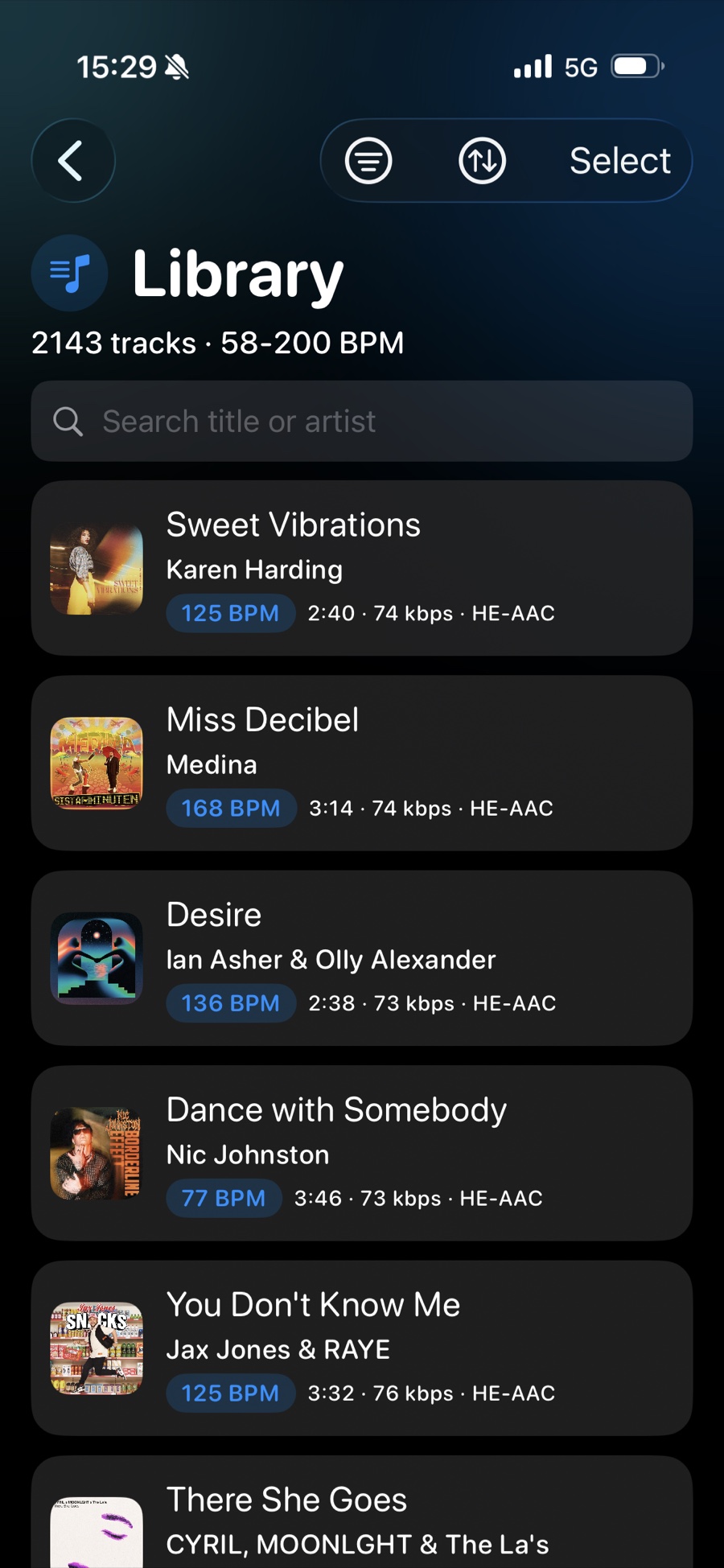
Import your own audio files (MP3, M4A and WAV) from iCloud, your phone, or an external drive. Run2Beat recognises every file so the same track is never imported twice — only unique files end up in your Library.
Missing a title or cover art? Run2Beat can identify tracks via Shazam and fetch the right metadata automatically.
Plan on a few seconds per song. The import keeps running safely with the screen locked, so a couple of hundred tracks is the work of a single coffee — bring it back to a ready library.
Need more room? Optional HE-AAC conversion on import roughly halves the space a track takes — off by default, in Settings.
How importing works →Know the tempo
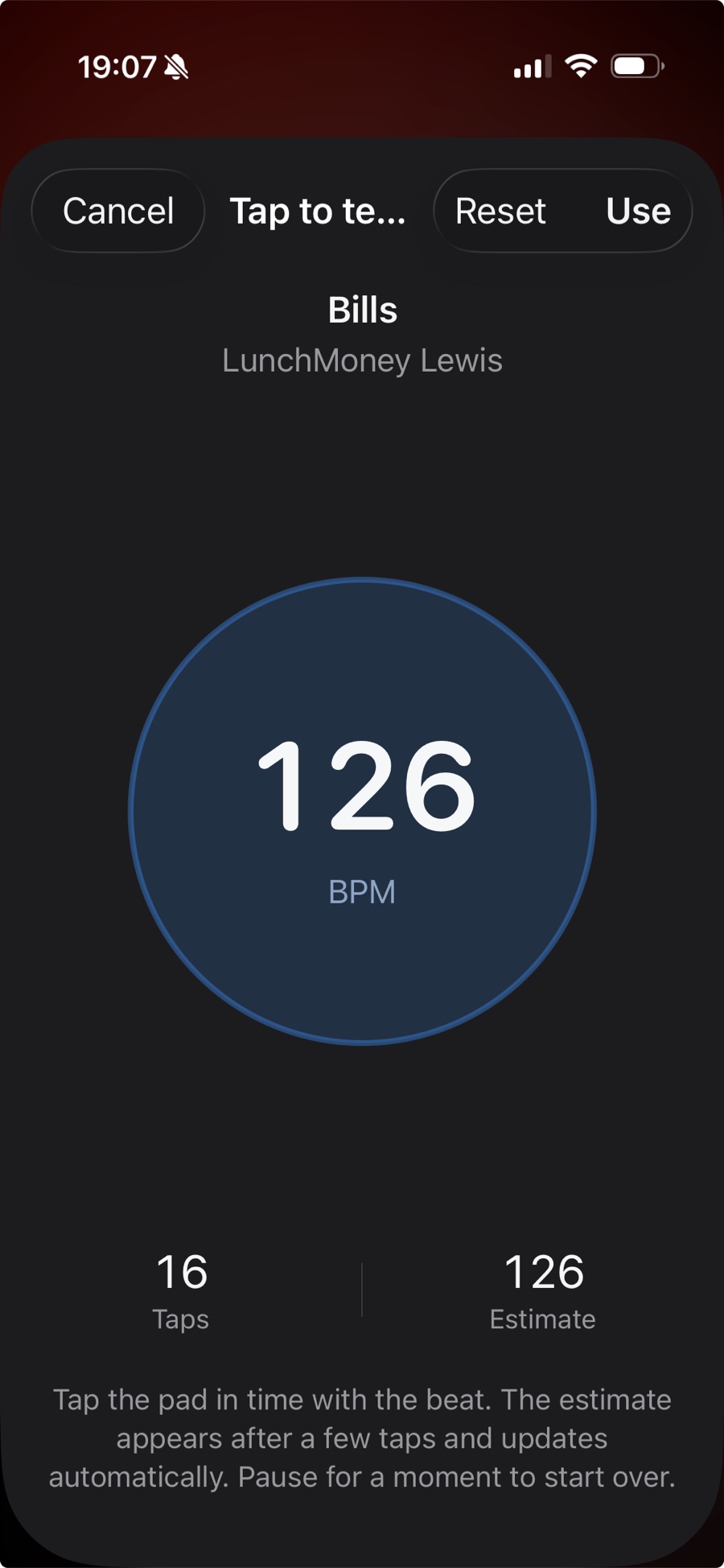
Run2Beat uses a learned beat-tracker (Core ML, running entirely on your device) to find the tempo of every imported track. A classical DSP pipeline acts as a fallback when the model is uncertain — and any track that needed the fallback is automatically flagged as low-confidence so you can review and correct it before your next session.
Always in control of the beat.
How BPM analysis works →Two ways to play
Run2Beat treats both kinds of playlists as first-class citizens — because a workout and an evening walk aren’t the same thing.

For workouts
A BPM list is a saved recipe. You decide a target step cadence, a target play time and where the songs come from — Library or one or more standard playlists. Run2Beat then picks matching tracks at random and times them so the beat sits at that cadence — and your steps can lock to the music as it pulls you along.
Three knobs shape the result:
An optional warm-up lets the first few songs start at a gentler tempo before the list ramps up to your target — the same songs lead every time, marked in the list, on both iPhone and Apple Watch. Skip a track and it can be flagged as a swap candidate so you can replace it later; Settings on iPhone decides how long the song must have played first (5 seconds by default), and Apple Watch uses the same time. On the watch, marking is also behind Swaps in Watch Settings. Organise lists into folders when you have more than a handful, and stretch a single recipe up to five hours of play time.
When you sync a BPM list to your Apple Watch, your music files are BPM-adjusted up front. No live processing on the watch, no distorted vocals.
How BPM lists work →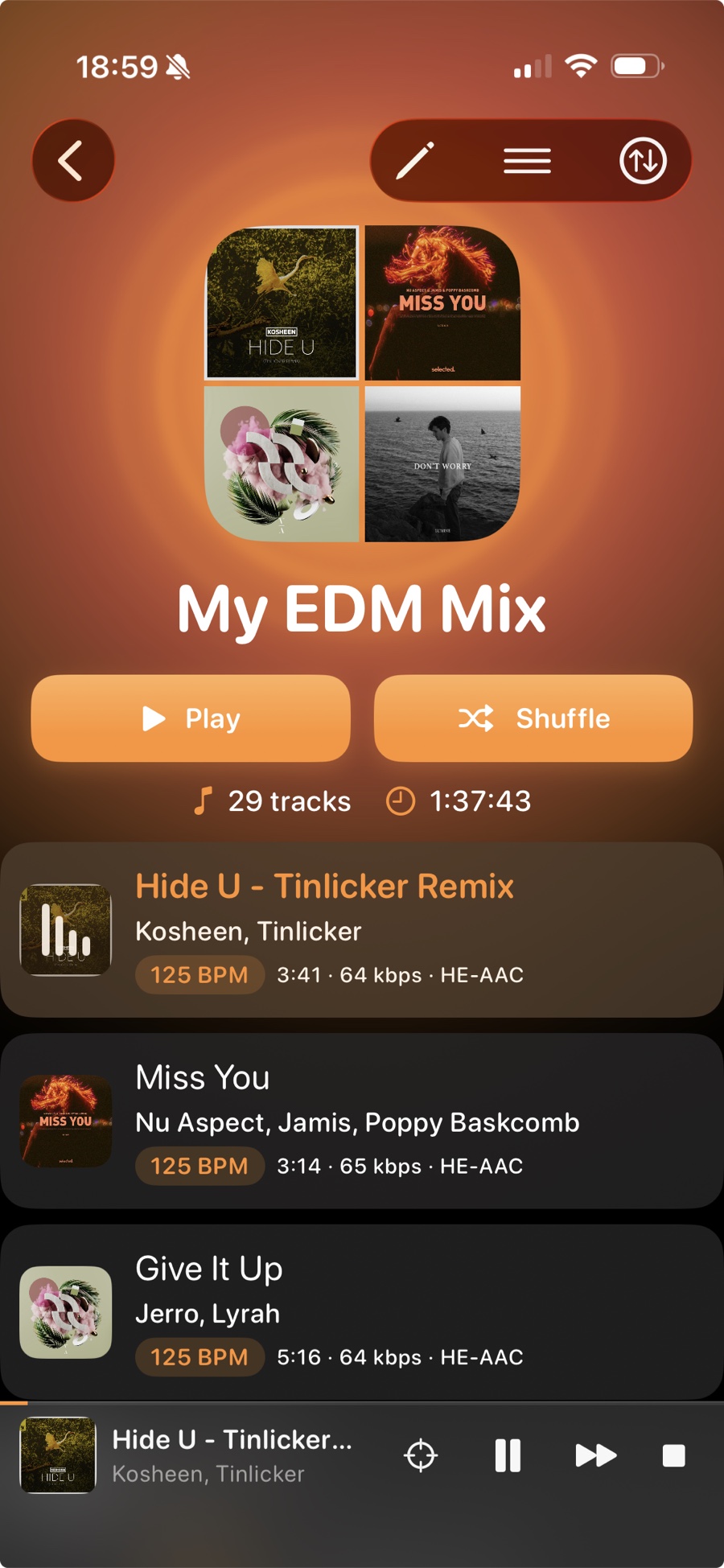
For everyday listening
Want to listen without BPM constraints? Build classic playlists from any of your imported music — for the commute, the dog walk, the kitchen, or just because.
Same library. Same audio quality. No tempo required.
Sound quality
Three small touches that quietly disappear once you press play.
Stop reaching for the volume control. Run2Beat measures every track’s loudness in LUFS — the same standard Apple Music and Spotify use — and adjusts playback so old recordings and modern masters sound equally loud, with built-in clipping protection that keeps the loud moments clean.
Learn more →Shape the sound with ten sliders spanning 32 Hz to 16 kHz at ±12 dB. Save named presets per pair of headphones — your “AirPods”, your “Bass boost”, your “Car” — and switch between them with one tap. Every preset syncs automatically to Apple Watch, so you can change profile from the wrist. Signed in to iCloud, presets and listen counts also come back if you reinstall.
Learn more →The next track begins just before the current one ends, fading down as the incoming one fades up, so the rhythm of your run stays intact. Choose Crossfade or Gapless on iPhone — the fade length is fixed. On Apple Watch Series 7 and later, including Ultra, you set the same choice on the watch. Earlier watches play one song after another. On BPM lists, optional Beat matching can start the next track where the music picks up and wait a moment so the beat lines up better. It only kicks in on automatic track changes — skipping ahead always starts instantly.
Learn more →Take it anywhere
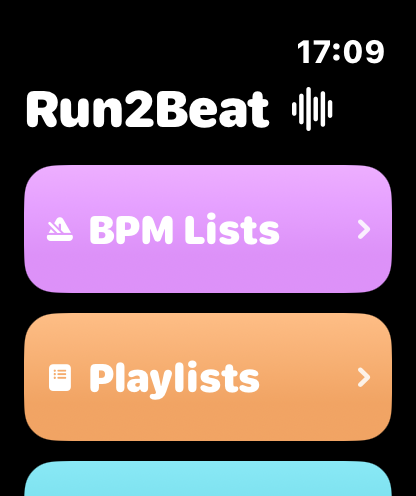
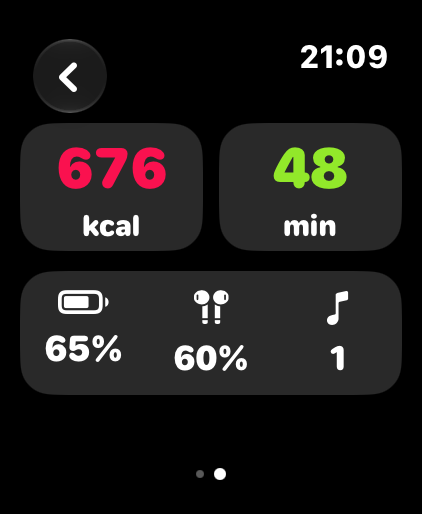
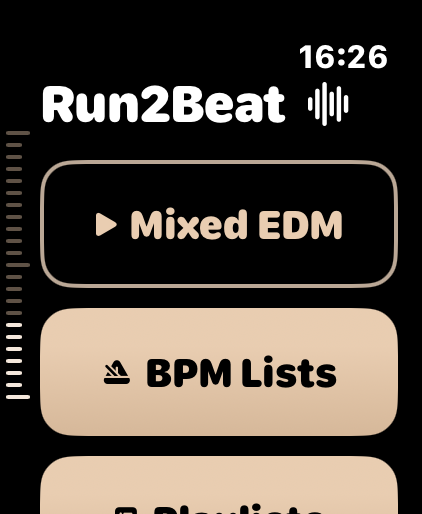
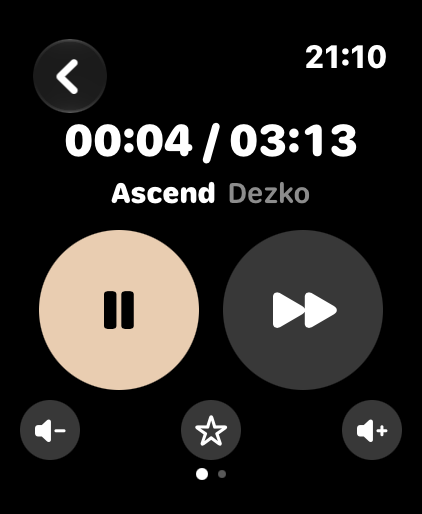
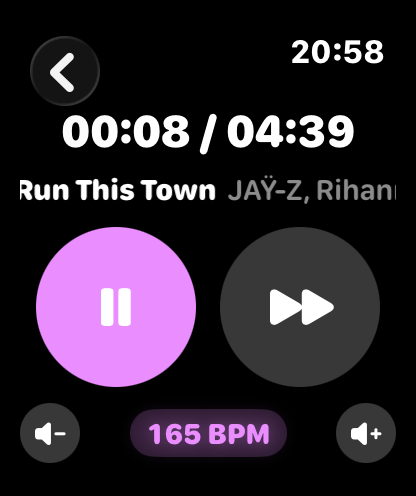
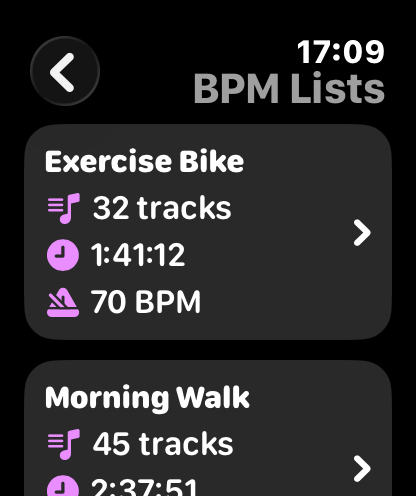
Sync BPM lists, standard playlists and Favourites to your Apple Watch and run with just AirPods — full standalone playback, no iPhone required. Transfer happens over Bluetooth from the iPhone’s Sync screen; iPhone and Watch must both be active when you start, but afterwards both screens can be off. Only changes are re-transferred, so the more you sync the faster it gets.
On the wrist, Home can replay the last list, show today’s Move goal as a column of ticks, and keep Favourites first under Playlists at the original tempo. The top tick turns a soft green when the goal is met. Swipe left in the player for Move, Exercise, battery and songs played. Two complications sit on the watch face: Last list plays that list again; Run2Beat only opens the app.
EQ presets and volume normalisation come along for the ride. On Series 7 and later, including Ultra, Crossfade, Gapless and Beat matching are set on the watch. Earlier watches play one song after another. Appearance is Standard, Sahara or AS Roma, plus filled or outline buttons. The info button on the Sync screen explains the watch app.
How sync works →In the car
Run2Beat shows up in Apple CarPlay with three driving-safe tabs — BPM lists, Playlists and Equalizer. Playlists are shown flat so every row is playable, with Favourites first and a Top 50 of your most-played tracks. Tap a BPM list to shuffle it, open a playlist and tap a track to start (Shuffle is still there), or switch EQ preset at the next red light. The favourite button on the Now Playing screen stays in sync with the iPhone and the Watch.
Setup, presets and EQ stay on the iPhone — the car just plays.
How CarPlay works →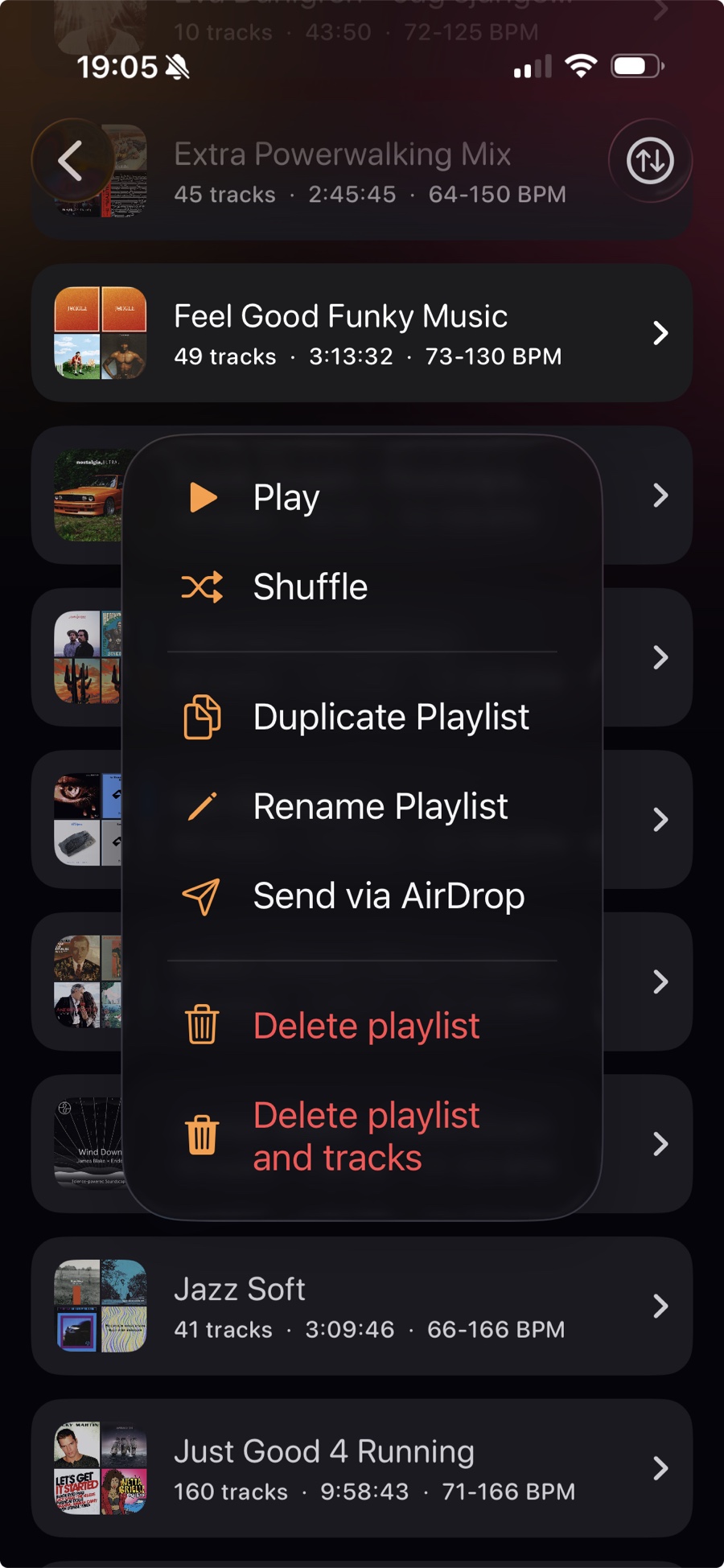
Found the perfect workout flow? Send a whole playlist or BPM list — pre-analyzed audio, Shazam metadata and the recipe (including warm-up) — to a friend via AirDrop. They get the music, the order, and the tempo. Ready to play.
Moving phones? Settings can save the whole Library as one file — tracks, playlists, BPM lists, no account. Restore replaces everything; you can also import selected tracks from that backup without wiping what is already there.
A short tour of what’s actually inside Run2Beat.
MP3, M4A and WAV via the Files app, AirDrop or the in-app picker.
Tempo is detected on device. No cloud lookup, no upload — results cached locally.
Identify untagged tracks and fill in title and artist with a single tap.
Pick a target cadence, a max-pitch tolerance and a 1/1, 2/1 or 1/2 multiplier — Run2Beat times each song so your steps can lock to the beat without distorting vocals.
Build the regular kind too — by mood, artist or a favourite session.
Ten sliders from 32 Hz to 16 kHz, ±12 dB. Save a preset per pair of headphones; presets sync to Apple Watch, and to iCloud when you are signed in.
Evens out loudness between tracks so quiet songs never disappear in the mix.
Smooth transitions between tracks. Fixed six-second Crossfade or Gapless on iPhone, and on Apple Watch Series 7 and later. Earlier watches play one song after another. On BPM lists, Beat matching can wait so the next song meets the beat.
Sync lists to the Watch and run with just AirPods. Continue last, Move ticks, a session page and two watch-face complications — iPhone stays home.
Send a whole playlist or BPM list — audio, BPM, artwork, play order and recipe (including warm-up) — to another Run2Beat user.
Own your library
Run2Beat plays local audio files — not a rented catalogue. If you are starting from scratch, or you only have walking music when you need a hard run (or the other way around), you can still fill the Library legally and keep every track offline forever.
That is the freedom: no subscription leash, no “this song left the service”, no signal required in the forest. Files you import stay yours — timed to the cadence you want to hold.
The quickest start: receive a whole playlist or BPM list from another Run2Beat user. You get the audio, artwork, BPM and recipe — ready to train the same day.
Independent artists and open-licence catalogues publish free MP3s for personal listening. Use only official download buttons — never rippers — and check each track’s licence when one is shown.
Need depth for a marathon prep list, or higher-tempo tracks for a run when you only have cycling music? Search the genres you like — EDM, phonk, drum & bass, jazz, whatever moves you — then import into Run2Beat. We are not affiliated with these sites; always follow their terms and the artist’s licence.
Before you import free or indie downloads: Only import identified songs is off by default in Settings → Music file import — leave it off. Shazam often misses lesser-known free tracks; with that toggle on, those files are skipped and never reach your Library. More detail
How to find music files →
Get Run2Beat
Run2Beat is free, ad-free and works fully offline. Your music files stay on your device — they never leave your iPhone. No subscription. No Run2Beat account. Signed in to iCloud, listen counts and EQ presets come back if you reinstall.
Download on the App StoreYou bring the music. We help you hold the beat.


